Tickmill Demo Account 2026: Expiry Rules, Reset, MT4/MT5 and Live Differences
Editorial check: October 2026 · Independent education · Trading terms vary by legal entity and country.
A demo account is useful precisely because mistakes do not spend real trading capital. Yet many newcomers misunderstand what a demo proves: a smooth month in MT5 demonstrates that you can operate a terminal and follow a set of rules in a simulated environment. It does not demonstrate that the same fills, emotions or results will follow when money is at risk. Tickmill provides several demo workflows, so it helps to know which one you have and what can cause access to expire.
In this guide, we separate registration, inactivity rules, virtual-balance resets and the bridge to a small live account. The information reflects Tickmill's international demo and account-management documentation reviewed in October 2026. Availability and features can vary by legal entity and location; check your own terms before relying on any published rule.
Choose the right demo environment first
Tickmill offers MetaTrader 4 and MetaTrader 5 demo accounts that resemble the respective trading terminals. A Tickmill Trader or TradingView demo follows a different account-opening workflow in the Client Area. If you intend to test an existing MQL4 Expert Advisor, an MT4 demo is more relevant than a TradingView chart. If you need additional MT5 order types or its strategy tester, begin with an MT5 demo rather than assuming every platform handles the same files.
| Demo choice | Best practice | Limitation to remember |
|---|---|---|
| MT4 demo | Learn order entry, templates and MQL4 EA management | Does not run MT5 programs directly |
| MT5 demo | Test MT5 order types and the strategy tester | Simulated results are not guaranteed live fills |
| Tickmill Trader/TradingView demo | Practise browser and mobile chart/order workflows | Eligibility and available symbols may differ |
Use a demo balance that resembles the capital you would realistically put at risk. A virtual $100,000 balance teaches very little about managing a future $500 account if your order size is based on the larger number.
Does a Tickmill demo expire after seven days?
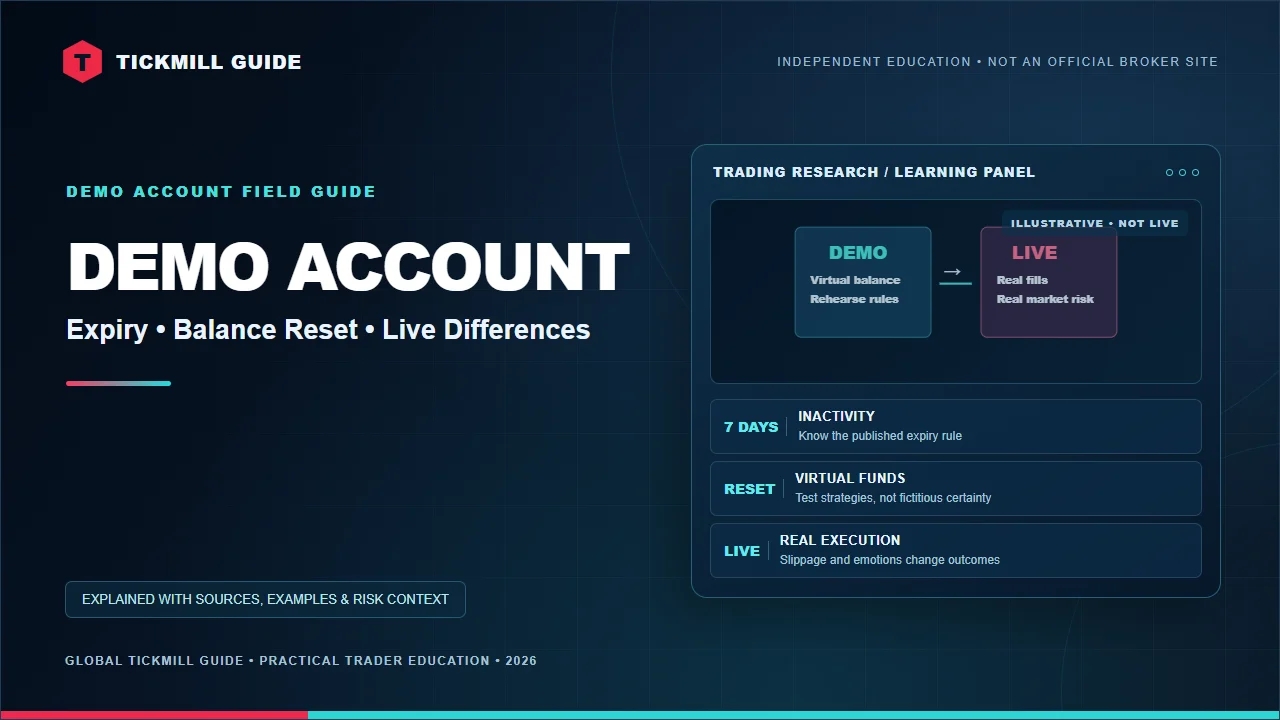
Tickmill's English-language demo terms say that a MetaTrader 4 or MetaTrader 5 demo account may expire when there have been no valid login attempts for seven days. The rules explain that the login must be made from a terminal using the master password; an investor/read-only login is not counted as a valid attempt for this purpose. This is important for anyone who uses a demo only once a week or leaves an EA running unattended.
That seven-day rule is the broker's published condition for the referenced MT4/MT5 demo offering. It should not be generalized to every trading product or legal entity, and opening a terminal window without actually authenticating is not a reliable substitute. If an older account has expired, verify its status through the official Client Area and broker support before assuming a password reset will reactivate it.
How to open and connect a MetaTrader demo
- Visit the official Tickmill demo-account page and choose your applicable platform and country.
- Provide the required registration details and select an appropriate virtual balance if offered.
- Download the correct MT4 or MT5 terminal from Tickmill's official links, not a third-party archive.
- Use the trading account login, trading password and demo server from the broker's onboarding information.
- Place a small test order, observe the spread, set and modify a stop-loss, and export your trade history.
For a login error, first distinguish a Client Area password from a MetaTrader trading password. A wrong server name or using MT4 credentials in MT5 can cause trouble even when the email and profile are valid. Our Tickmill login troubleshooting guide gives a practical checklist.
Can you reset or refill virtual funds?
According to Tickmill's Account Management FAQ, you may use the Client Area's Add Balance function to top up a demo account, with the self-service option described as available twice per demo account. For a fuller reset, Tickmill directs clients to contact its official support address with the demo account number and desired balance. Do not share passwords, one-time codes or payment details when asking for a virtual-balance change.
A reset is best used to keep experimental sessions comparable, not to erase losing months from your journal. Save both winning and losing results before refreshing virtual funds. If you always start over after a drawdown, your historical record will exaggerate the consistency of the strategy.
What should a demo exercise prove?
A successful simulated trade is evidence of one controlled test, not a prediction about a future funded account.
Why demo and live outcomes diverge
Tickmill's own FAQ says its demo and live trading conditions are described as similar, but demo activity occurs in a simulated environment, where slippage is not experienced in the same way and price updates may differ. Real orders interact with liquidity and execution conditions. A strategy that relies on a precise stop entry or exits for only one or two pips can behave very differently when spread and slippage vary.
Psychology matters too. A trader may wait calmly through a simulated drawdown but close a real position early after seeing a monetary loss. A realistic demo plan should specify a fixed risk amount, maximum trades per session and reasons for suspending the strategy. Use our margin and leverage explainer to understand why unused margin is not a risk budget.
A 10-trade demo checklist for beginners
- Entry reason, trading session and expected market catalyst.
- Instrument contract size, lot size and account-currency risk.
- Spread, commission assumption and overnight financing if held.
- Stop-loss level, potential slippage and actual exit reason.
- A screenshot or written note showing what you learned, including rule violations.
After ten trades, assess the quality of following the rules rather than searching for a profit percentage. Ten outcomes are too few to prove a statistical edge; they can still expose operational errors such as selecting the wrong lot size or failing to attach a stop to the intended position.
When are you ready to consider a live account?
There is no universal number of demo wins that makes live trading safe. A more helpful threshold is being able to explain position risk, account terms, order types, costs and what you will do if your internet connection fails. If you eventually move to live trading, start with a size that respects your personal risk capacity and do not treat promotional leverage as a recommendation to borrow the maximum available exposure.
Before funding, read our identity verification walkthrough and real trading-cost guide. Account opening, platform access and product eligibility are jurisdiction-specific.
Frequently asked questions
Does a demo have real money I can withdraw?
No. Demo funds are virtual and do not constitute a cash entitlement. The environment is for practice and testing, not earning withdrawable profits.
Is the seven-day expiry rule for every Tickmill account?
No. The documented inactivity rule discussed here is for MT4/MT5 demo accounts on the referenced offering. Confirm the current rules for your platform and entity.
Can I run demo and live accounts at the same time?
Tickmill's FAQ says yes, with separate terminal installations where appropriate for MetaTrader; Tickmill Trader can expose multiple account types through its interface.
Primary sources and publication note
Information reviewed 14 October 2026 against Tickmill's official demo account terms, Account Management FAQ and demo/live execution differences. Exact rules can change; consult the official materials for your location.
Check the details before you trade
Confirm the broker entity, account eligibility, latest fees, platform options and risk documents with Tickmill. We may earn a commission from a qualifying referral. This is not personalised investment advice.
Visit Tickmill through our affiliate link →Important: Leveraged trading can cause significant losses and is not appropriate for everyone. This independent site is not operated or endorsed by Tickmill. Read the Affiliate Disclosure and Risk Disclosure.


Comments
Have a question about this guide? Join the conversation below.
Post a Comment