Gold Session Liquidity Free on Tickmill MT4 & MT5: 7 Benefits for XAUUSD Traders
XAUUSD can push beyond a familiar high, trigger breakout expectations, and retreat into the previous range before anyone has finished adjusting a stop. Gold Session Liquidity Free offers a practical framework for that job on Tickmill MetaTrader 4 and MetaTrader 5.
This free, open-source indicator combines completed Asian-session levels, confirmed swing references, qualifying liquidity-sweep markers, swing-structure breaks, higher-timeframe EMA context and a manual risk-planning panel. It is not an automated trading system or a shortcut to guaranteed returns. Used carefully, it can make gold-chart reviews more organised and easier to document.
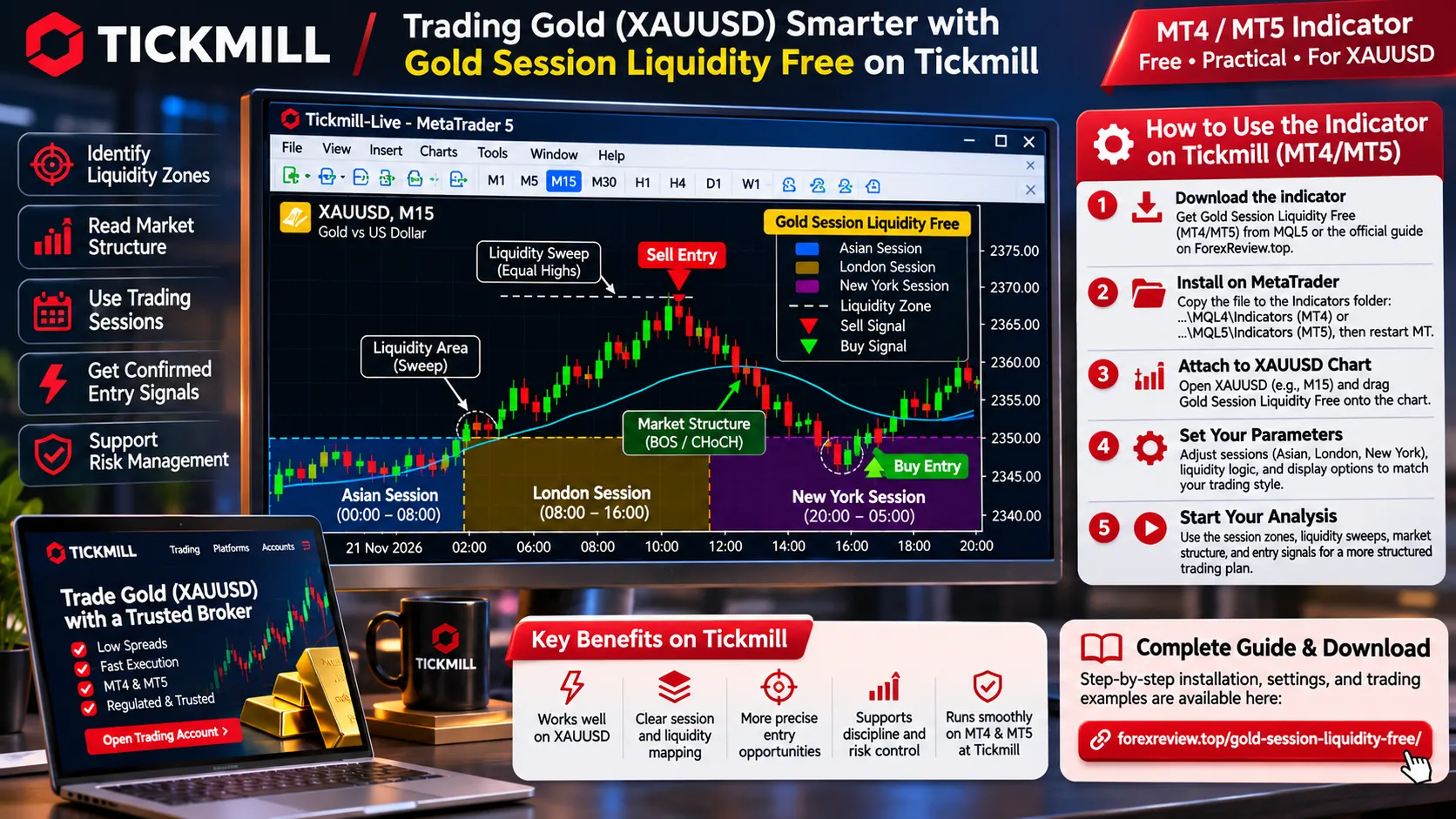
Why pair this indicator with Tickmill?
Tickmill offers XAUUSD as a commodity CFD and supports both desktop MT4 and MT5. That combination gives discretionary gold traders a familiar charting environment where they can compile and attach a custom MQL indicator. The advantage here is a structured research workflow, not any claim that Tickmill or the indicator can make an individual trade profitable.
1. See completed Asian highs and lows without drawing every level
The indicator identifies the high and low of the configured Asian window after that period has ended. Those levels provide a useful reference when XAUUSD approaches London trading: is price still inside the range, testing its boundary or sustaining a break? An Asian level is not guaranteed support or resistance. Crucially, the displayed timing depends on your Tickmill server clock, configured UTC offsets and daylight-saving assumptions.
2. Recognise potential liquidity sweeps with repeatable rules
A sweep can occur when price trades beyond an earlier confirmed swing high or low, then closes back across that reference. Gold Session Liquidity Free examines completed candle data and applies penetration, wick and swing filters before displaying qualifying markers. This can reduce the temptation to call every long wick a “stop hunt.” It does not reveal hidden institutional orders or the actual location of other traders’ stops. A marked sweep is an observation about historical price action, not an automatic order recommendation.
3. Add swing structure and trend context to the picture
One arrow rarely explains an entire XAUUSD setup. The indicator separates sweep observations from confirmed swing breaks and adds informational higher-timeframe EMA context. Instead of jumping straight into a short trade, you can ask whether subsequent closed candles support or contradict the initial idea. Pivot confirmation takes later bars; do not mistake a level’s historical location for the time it became confirmed.
4. Put gold volatility into its trading-session context
Asia, London, New York and their overlaps can produce different activity patterns. Tickmill publishes XAUUSD trading hours with a daily trading break, so verify the current schedule in your own terminal. During inflation data, employment reports or central-bank announcements, spreads and slippage may increase sharply. Session information helps you review conditions; it does not make volatile events predictable or risk-free.
5. Build a more disciplined manual risk plan
The indicator’s planning panel is designed for hypothetical entry, stop, equity budget and position-size considerations. Before deciding whether to trade, examine the distance to a meaningful invalidation level and ask whether that loss would fit your budget. On Tickmill, always confirm XAUUSD contract size, tick value, minimum volume and volume step under Specification. Gold point conventions vary across brokers, and a lot-size calculation should never be accepted without checking the actual symbol. The panel does not place or manage positions.
6. Compare the setup with real trading costs
Even an attractive chart pattern can become impractical once the bid-ask spread, commissions, swaps and potential slippage are considered. Tickmill’s account types have different pricing structures, so evaluate total cost rather than looking at an advertised minimum spread. You can use our Tickmill spreads, commissions and swaps guide alongside the XAUUSD lot-size and margin guide. Neither technical markers nor low advertised trading costs guarantee favourable execution.
7. Test a transparent, free tool on a demo account
Both editions are available as downloadable MQL source files from the MQL5 Code Base. That lets experienced users inspect the rules and compare marker behaviour with the underlying candles. A Tickmill demo account is a sensible starting place: record screenshots of successful and failed setups, note the spread, and keep the settings consistent. Over enough observations, a journal may reveal whether the tool improves your decision process. A handful of good-looking historical charts cannot demonstrate reliable future profitability.
A realistic XAUUSD review example
Suppose gold rises above the completed Asian high during early London activity, but the next M15 candle closes back beneath a confirmed swing. A qualifying sweep marker may appear. Rather than treating it as an instant sell signal, compare the H1 trend, check upcoming news and identify the price action that would invalidate a bearish scenario. Estimate the risk using the symbol’s Tickmill contract settings. If the stop is too wide, the spread is elevated or structure remains unclear, standing aside is a valid decision. This is an illustrative workflow, not a current trading signal.
How to install Gold Session Liquidity Free on Tickmill MT4 or MT5
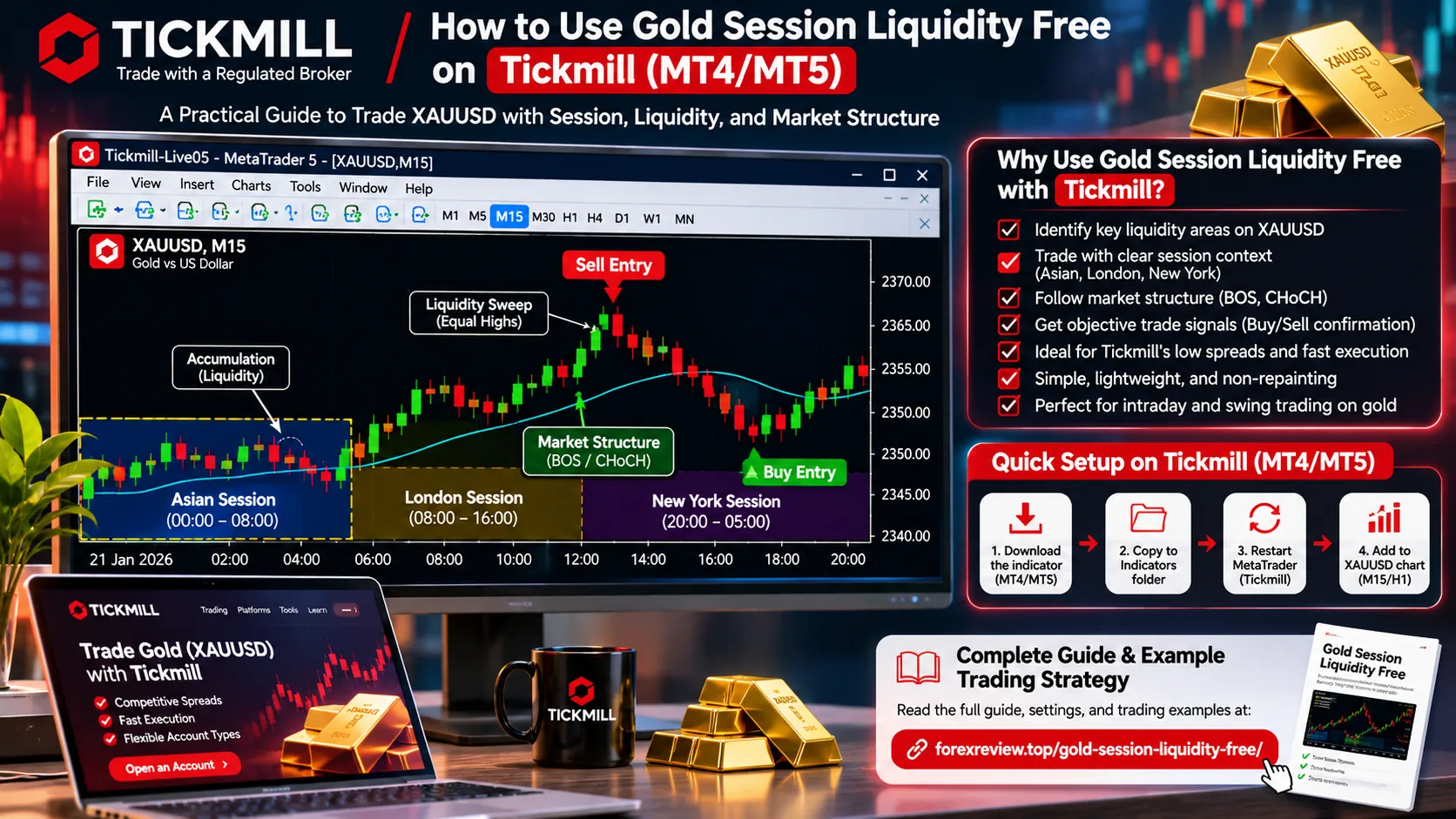
- Choose the correct source. Open the complete ForexReview.top indicator guide, then download the MT4 MQL4 source or MT5 MQL5 source.
- Open the desktop data folder. In Tickmill MetaTrader, select File → Open Data Folder. Place the source in
MQL4/Indicatorsfor MT4 orMQL5/Indicatorsfor MT5. - Compile in MetaEditor. Open the corresponding source, compile it and refresh the Navigator’s Indicators list. Review any compilation messages instead of assuming the file is ready.
- Attach it to the gold chart. Open your account’s XAUUSD symbol, including any broker-specific suffix, and add the indicator. M15 is a convenient starting timeframe, not a required setting.
- Check inputs before interpreting markers. Align broker-server UTC offset, Asian-session window, swing thresholds and symbol specifications. Start with historical and demo examples.
These MQL4/MQL5 editions are intended for desktop MetaTrader. Do not assume custom source files can be installed directly in Tickmill’s mobile app or browser-based WebTrader. For differences between MT4 and MT5, input descriptions and genuine indicator examples, refer to the ForexReview.top setup and features guide.
Is the indicator worth trying on Tickmill?
For a trader who wants cleaner XAUUSD chart reviews, Gold Session Liquidity Free is worth evaluating: session levels, sweep conditions, swing structure and manual risk planning sit in one workflow without requiring auto-trading. Tickmill provides the MetaTrader environment, while the trading decision remains yours. Explore Tickmill account and platform options, confirm the terms for your jurisdiction and start with a demo before considering live trading.
Editorial disclosure: This is independent educational content, not an official Tickmill publication or an endorsement of the indicator by Tickmill. Both images are conceptual mockups, not live platform evidence. Certain broker links may generate affiliate compensation. Leveraged gold CFDs carry substantial loss risk, including loss of deposited capital. The indicator does not guarantee entries, results or execution quality.


Comments
Have a question about this guide? Join the conversation below.
Post a Comment